
Modify HTTP headers, without the bloat.
A free, open source browser extension for editing request and response headers. No account, no tracking, nothing leaves your browser. I built it for my own work in 2023 and it's now used by about 8,000 developers.
- 8,000+users on Chrome and Firefox
- 4.9Chrome Web Store rating
- MITlicence

Where it came from
In 2023 the header extensions I relied on at work had grown slow and cluttered, and one of the most popular had been compromised. What I needed was small: set a few headers on a few URLs, trust it, and get on with the job.
So I wrote one. The first version, on the left, was a single page of headers, a filter and an export button. It went on the Chrome Web Store as a side project and people started using it.
Three years later I still maintain it alone and answer every issue and email. It has gained pages, sync, undo, a Firefox build and a proper design, and it has kept the original rule: it runs entirely in your browser and the source is public.
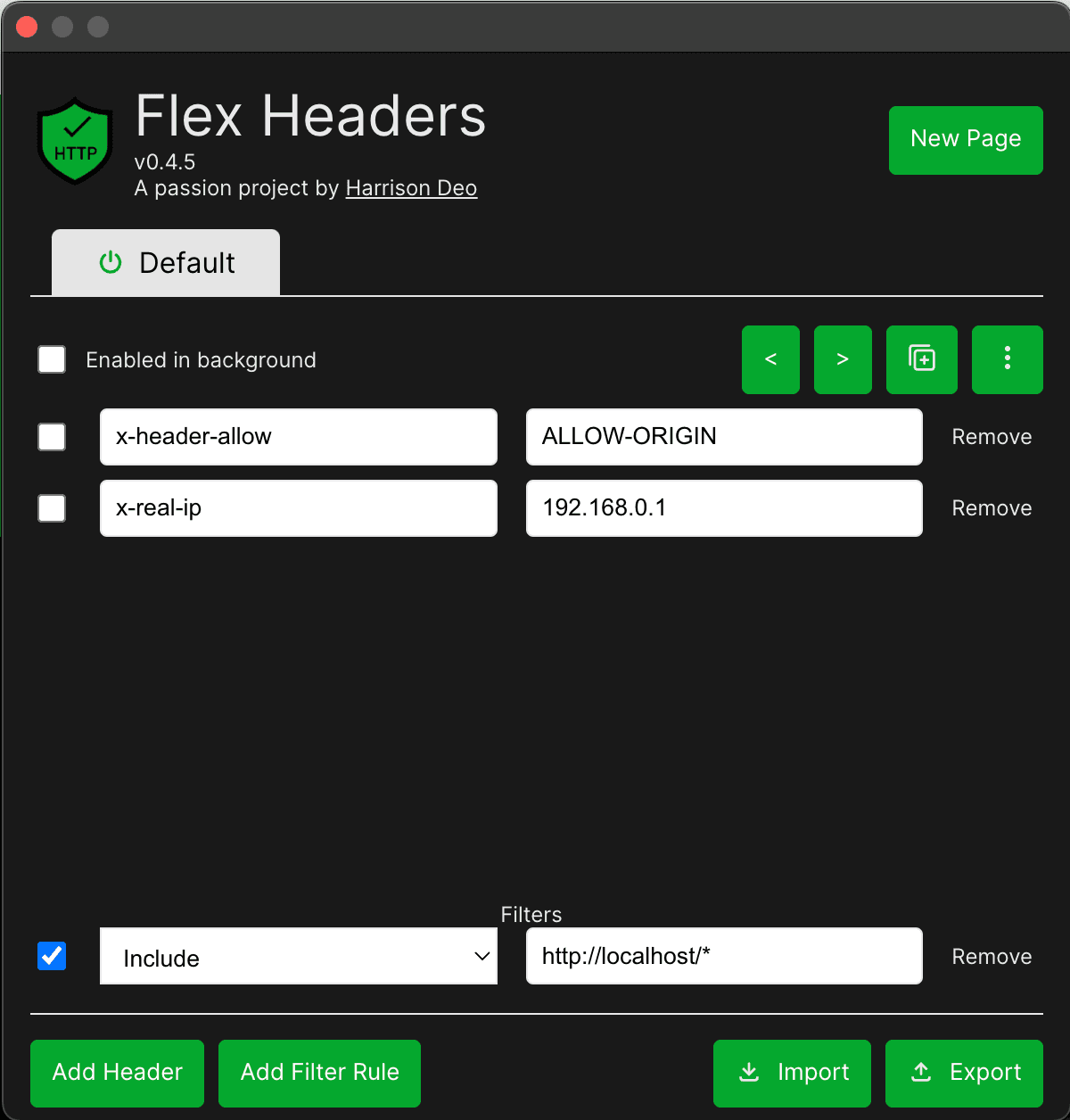
What it does
- Pages
- Keep separate sets of headers for each environment or project. A page can stay enabled in the background, so you don't have to leave it selected for its headers to apply.
- Filters
- Scope a page to particular requests with a URL pattern or a regex, matched against the URL, domain or query string. Excludes always win, so an exception doesn't need its own page.
- Sync between machines
- Opt in and your pages, headers and filters follow you via browser sync. Edits are merged with tombstones rather than last-write-wins, so two machines can't silently overwrite each other.
- Undo and redo
- Every change to a header, filter or page can be stepped back and forward. Try something, then get back to where you were.
- Import from ModHeader
- Export your ModHeader setup and import it directly. Flex Headers maps the profiles and headers across. Exports of your own pages work for sharing with a team or backing up.
Also: pause a whole page in one click, sort headers by name, value or comment, light and dark themes, and one codebase for Chrome and Firefox via WXT, with a Safari build in progress.